What sits under a trust
The trust’s sub-entities, ownership share and holdings, without double counting.
Which entities sit under the [Dharma Trust], and what does each one hold today? Show ownership percentages and avoid double counting.
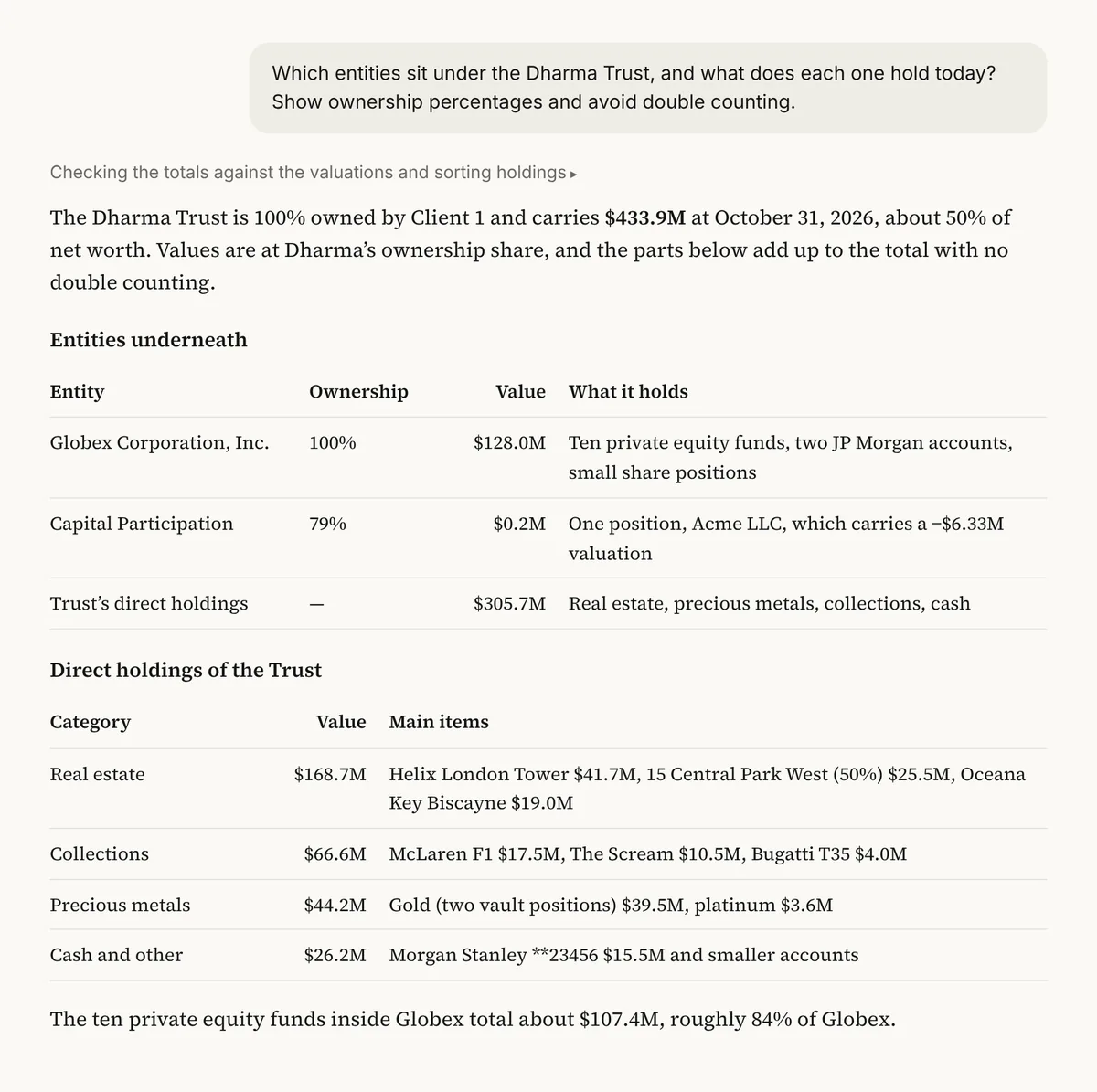
Illustrative output based on Masttro's demo family office data.
Every entity that sits beneath the trust or entity you name.
Each sub-entity's share, so holdings are counted once.
What each entity holds, valued at its ownership share.
Replace [Dharma Trust] with the trust or entity you want to look under.
Why look under a single trust?
Trustees and beneficiaries usually care about one part of the structure, not the whole family balance sheet. Pulling that view out by hand risks double counting assets held through several layers.
This prompt reads the entity structure under the node you name and values each holding at the right ownership share. The answer is a clean picture of one trust, ready for a trustee meeting.
Holdings are valued at each entity's ownership share.
Works for a trust, foundation or holding company.
A follow-up draws the result as an org chart.
Questions about this prompt
Can I use it for something other than a trust?
Yes. Name any entity in your Masttro structure, such as a foundation or holding company.
How does it avoid double counting?
Holdings are valued at each entity's ownership share as the structure is rolled up.
Can I see it as a chart?
Yes. The last follow-up draws the structure as an org chart.
Will it show entities I can't access?
No. Your Masttro permissions apply.