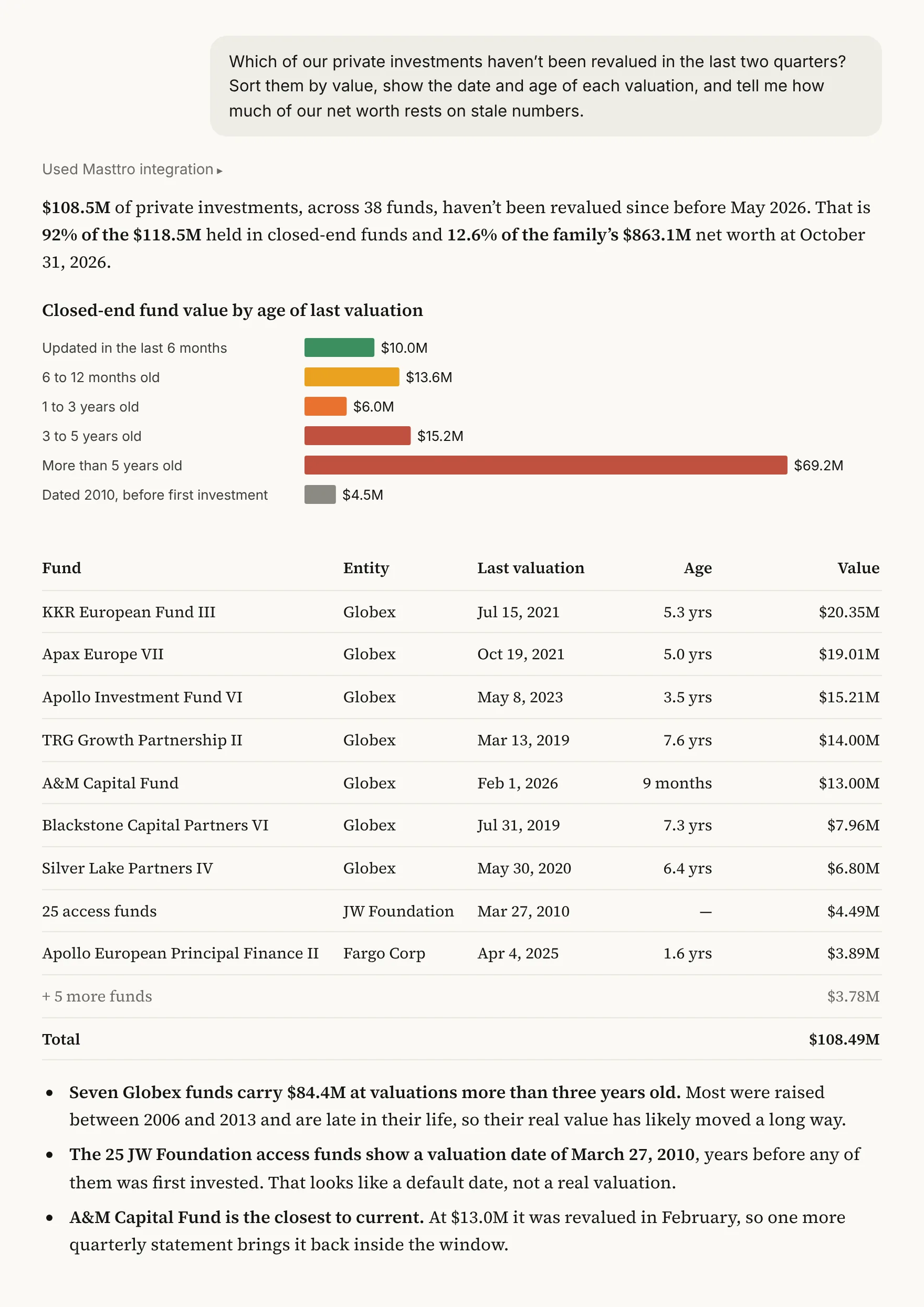
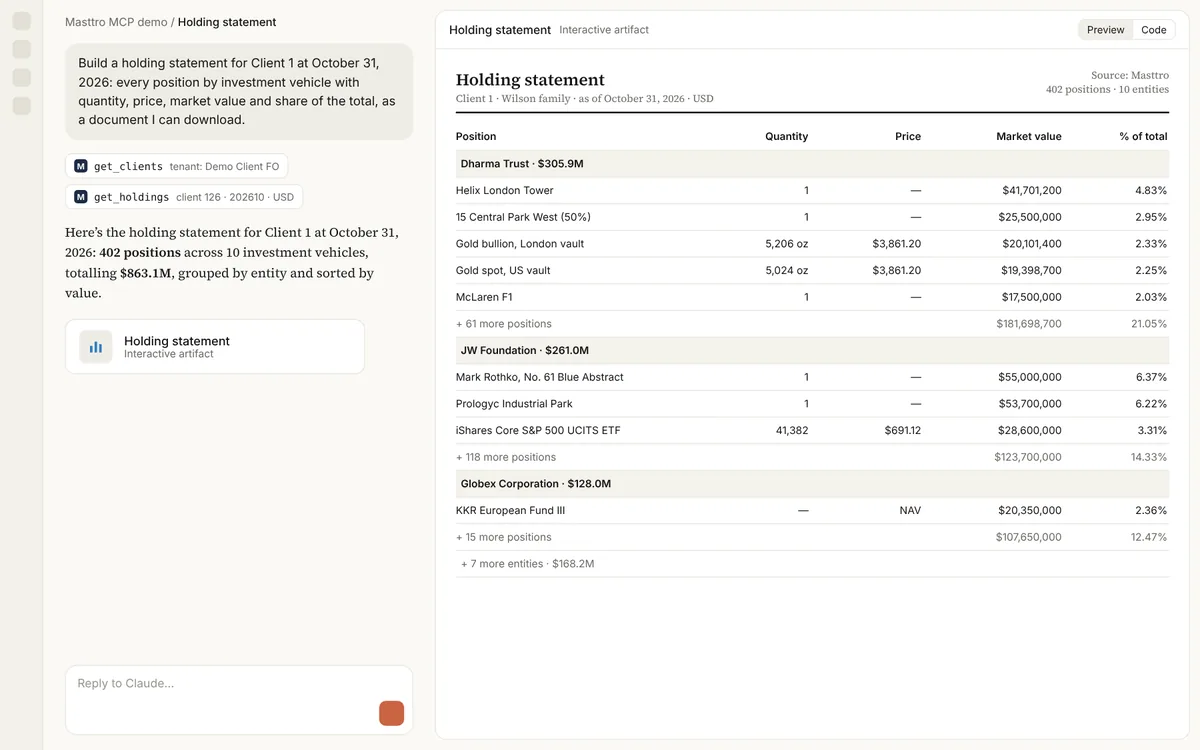
Top contributors and detractors
The five biggest gains and losses, with bookings separated from market moves.
Give me the top five contributors and detractors to [this month’s] performance, and explain anything that looks like a booking rather than a market move.
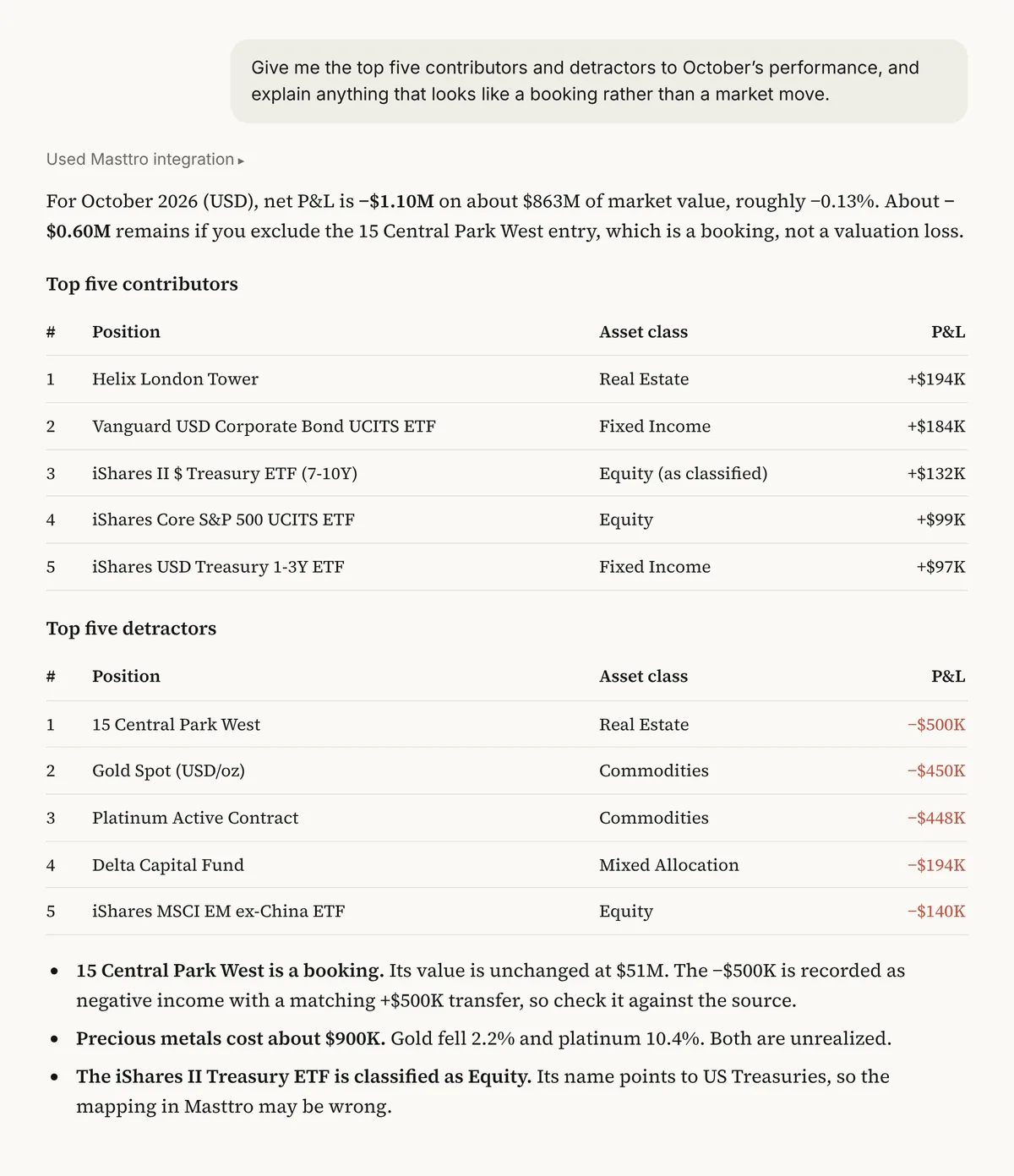
Illustrative output based on Masttro's demo family office data.
The positions that added and subtracted the most from the period's result.
Anything that looks like an accounting entry rather than a market move is called out.
Each figure is split so you see how the gain or loss arose.
Replace [this month's] with the period you want, such as this quarter.
Why separate bookings from market moves?
A position can top the contributor list because of a revaluation, a corporate action or a booking error rather than a genuine market move. Presenting that to a principal as performance is a credibility risk.
This prompt ranks the biggest movers and then asks the AI to flag anything that looks like a booking. The COO gets a clean list to report and a short list of items to check with the custodian first.
Market moves are kept apart from accounting entries.
Every figure ties back to a named holding.
A follow-up shows how each figure was derived from positions and transactions.
Questions about this prompt
What counts as a booking?
Entries that change value without a market move, such as revaluations, transfers or corrections. The prompt asks the AI to flag anything that looks like one so you can confirm it.
Can I see how each figure was built?
Yes. The first follow-up asks for the source positions and transactions behind every number.
Can I change the number of positions?
Yes. Change 'top five' to any number you want.
Is the result net of fees?
It reflects the P&L recorded in Masttro for each position. Ask the follow-up to confirm how fees are treated in your data.