Realized and unrealized gains by entity
Realized and unrealized gains for each entity, with the biggest paper losses listed.
Compare our realized and unrealized gains by entity [year to date], and list the positions with the largest unrealized losses, for our tax planning discussion.
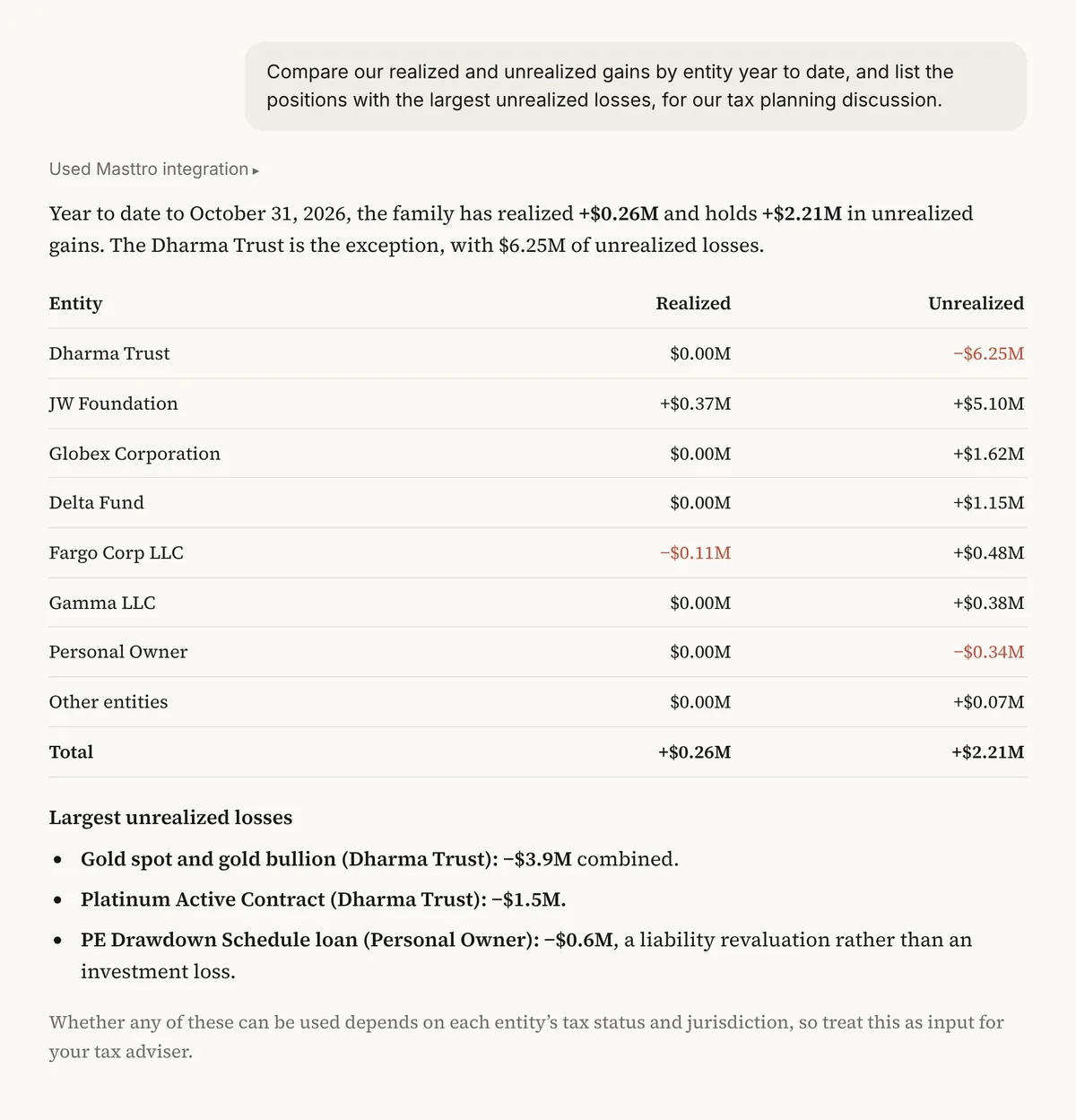
Illustrative output based on Masttro's demo family office data.
Realized and unrealized gains for each investment vehicle over the period.
Positions with the largest unrealized losses, listed for review.
Laid out for a conversation with your tax adviser.
Replace [year to date] with the period your tax planning covers.
Why look at realized and unrealized gains together?
Tax planning depends on what has already been realized and what is sitting as a paper gain or loss. Seeing both, entity by entity, shows where there is room to offset gains before year-end.
This prompt pulls period gains from Masttro by position and groups them by vehicle, then lists the largest unrealized losses. It gives the COO and the tax adviser a common starting point.
Taxes are paid by entities, so the split follows the structure.
The largest paper losses are surfaced for discussion.
The answer frames the conversation with your tax adviser.
Questions about this prompt
Is this tax advice?
No. It summarizes realized and unrealized gains from Masttro so you and your tax adviser start from the same numbers.
Can I see which losses sit in taxable entities?
Yes. The first follow-up narrows the loss list to taxable entities.
Can I change the period?
Yes. Replace [year to date] with the last 12 months or any period you plan around.
Where do the figures come from?
Period realized and unrealized gains by position, as recorded in Masttro.