Meeting briefing
A meeting-ready briefing with flags and likely questions.
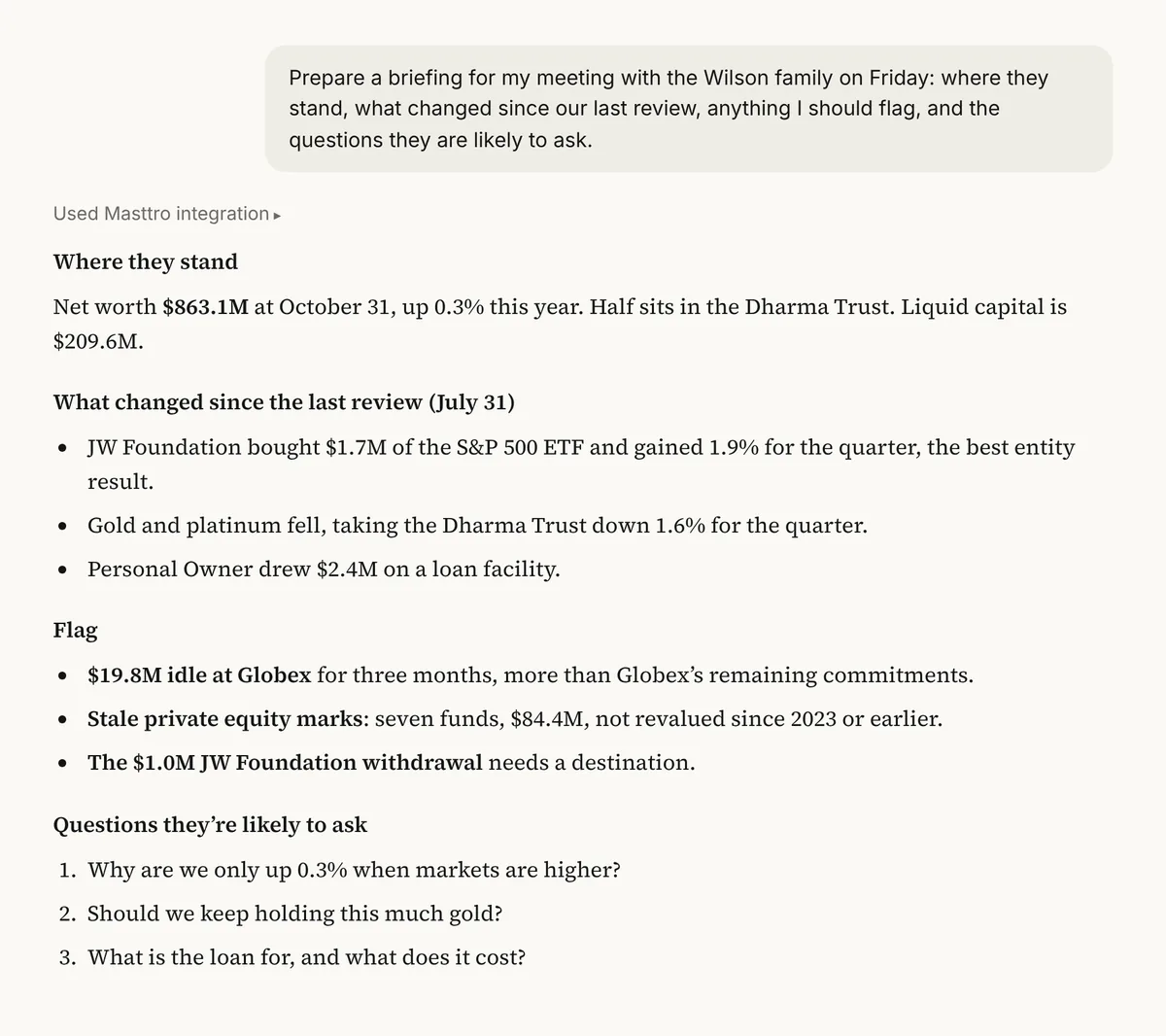
Prepare a briefing for my meeting with the [Wilson family] on [Friday]: where they stand, what changed since our last review, anything I should flag, and the questions they are likely to ask.
Illustrative output based on Masttro's demo family office data.
The family's current position and recent performance.
Movements since your last review, with flags.
What the family will probably ask, so you are ready.
Replace [Wilson family] with the client and [Friday] with the meeting date.
Why prepare client meetings with AI?
Advisors and MFO teams prepare for dozens of family meetings a quarter. Most of the prep is gathering the same facts: holdings, recent returns, new transactions, open commitments.
This prompt pulls those facts for the family you name and adds the questions they are likely to ask. You walk in prepared, and you spend your prep time on judgment rather than data gathering.
Facts gathered from Masttro automatically.
Likely questions included, with answers on request.
A follow-up drafts the email after the meeting.
Questions about this prompt
What data does the briefing use?
Current holdings, recent performance and transactions, and closed-end fund commitments for the family.
Who is this prompt for?
COOs, advisors and multi-family office teams preparing for client or family meetings.
Can it suggest answers to the questions?
Yes. A follow-up adds a short answer to each likely question.
Can it draft the follow-up email?
Yes. The last follow-up drafts it for after the meeting.