Large transactions review
Every large transaction under the entity that made it, with the odd ones flagged.
List all transactions over [$250,000] in the [90 days] to [month-end], grouped by investment vehicle, and flag anything unusual.
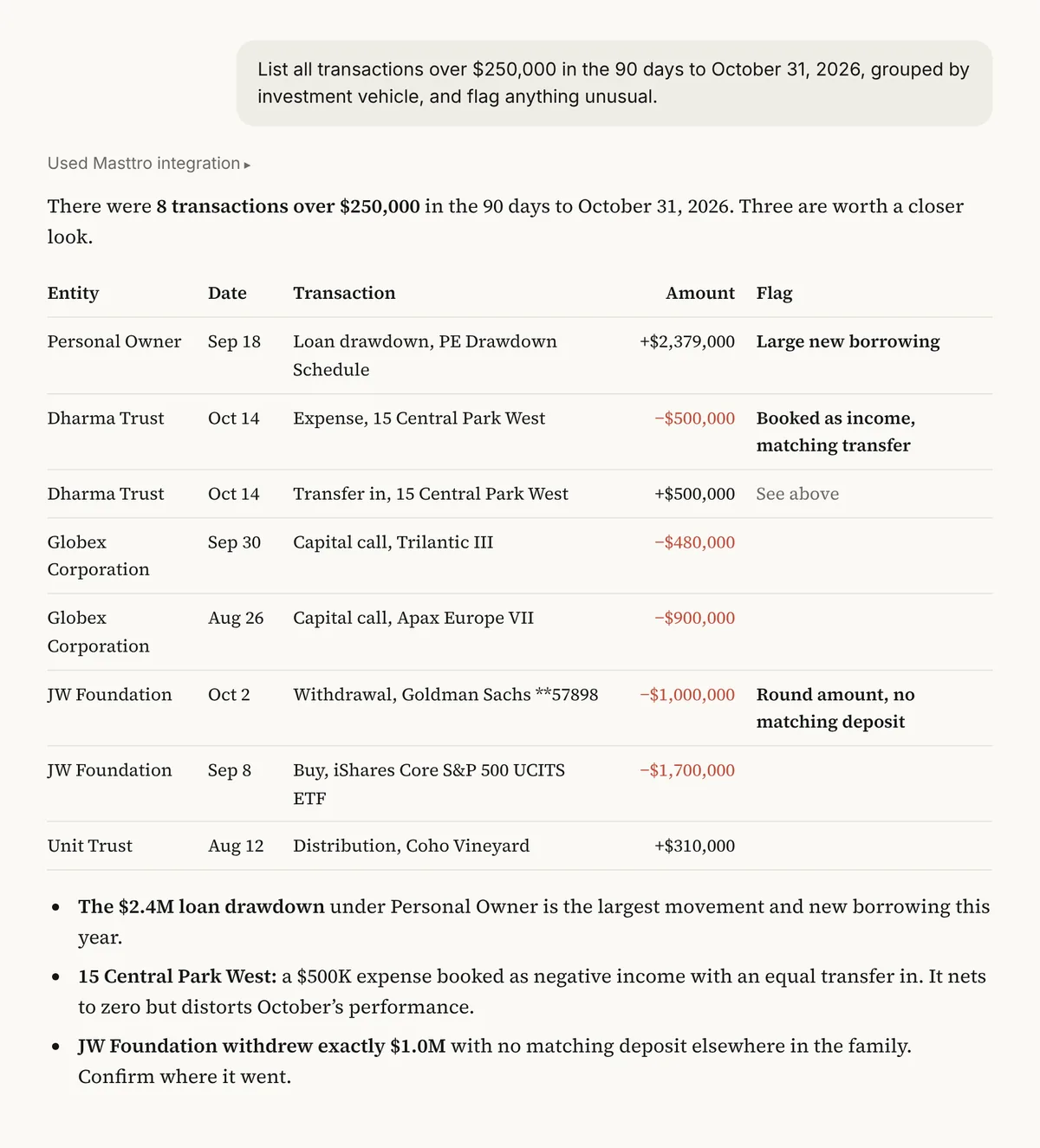
Illustrative output based on Masttro's demo family office data.
Every transaction over the amount you set in the period.
Each transaction listed under the investment vehicle that made it.
Anything unusual is called out for review.
Replace [$250,000] with your threshold, [90 days] with the period and [month-end] with the end date.
Why review large transactions by entity?
Large movements are where errors, misbookings and unauthorized activity show up first. Reviewing them by entity makes it clear who moved money and whether it fits that entity's purpose.
This prompt lists every large transaction in the period and asks the AI to flag anything that looks out of pattern, giving the COO a short list to check rather than a full ledger.
A filtered list instead of a full transaction export.
Transactions grouped by who made them.
Unusual items are called out for checking.
Questions about this prompt
What counts as unusual?
The prompt asks the AI to flag transactions that look out of pattern, such as an unexpected type, size or counterparty for that entity. Review each flag yourself.
Which transaction types are included?
All types recorded in Masttro for the period, including buys, sells, transfers, calls and distributions.
Can I filter to calls and distributions?
Yes. The first follow-up separates capital calls and distributions.
Can I change the threshold?
Yes. Replace [$250,000] with any amount.