Holdings dashboard
A chart dashboard you can filter by entity and currency.
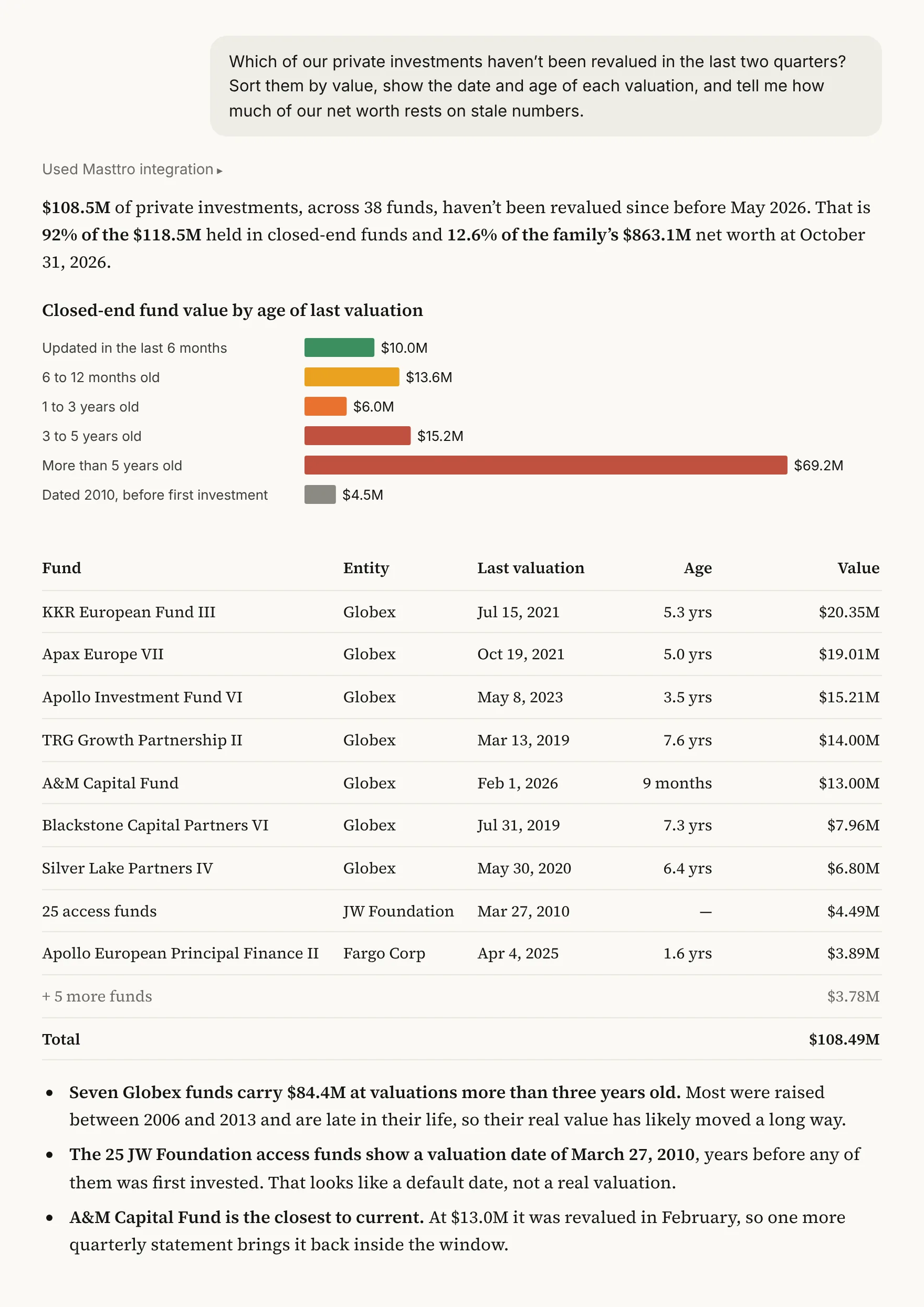
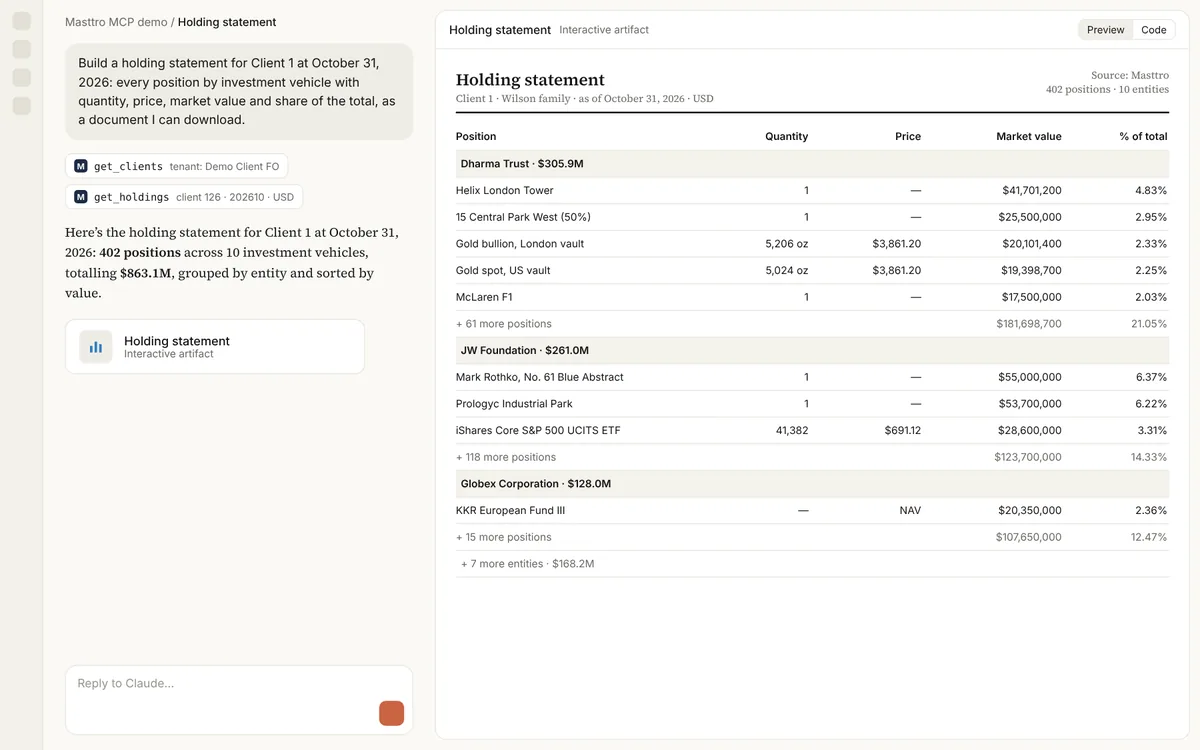
Build an interactive dashboard of our holdings at [month-end] by asset class, investment vehicle and currency, with a filter for each.

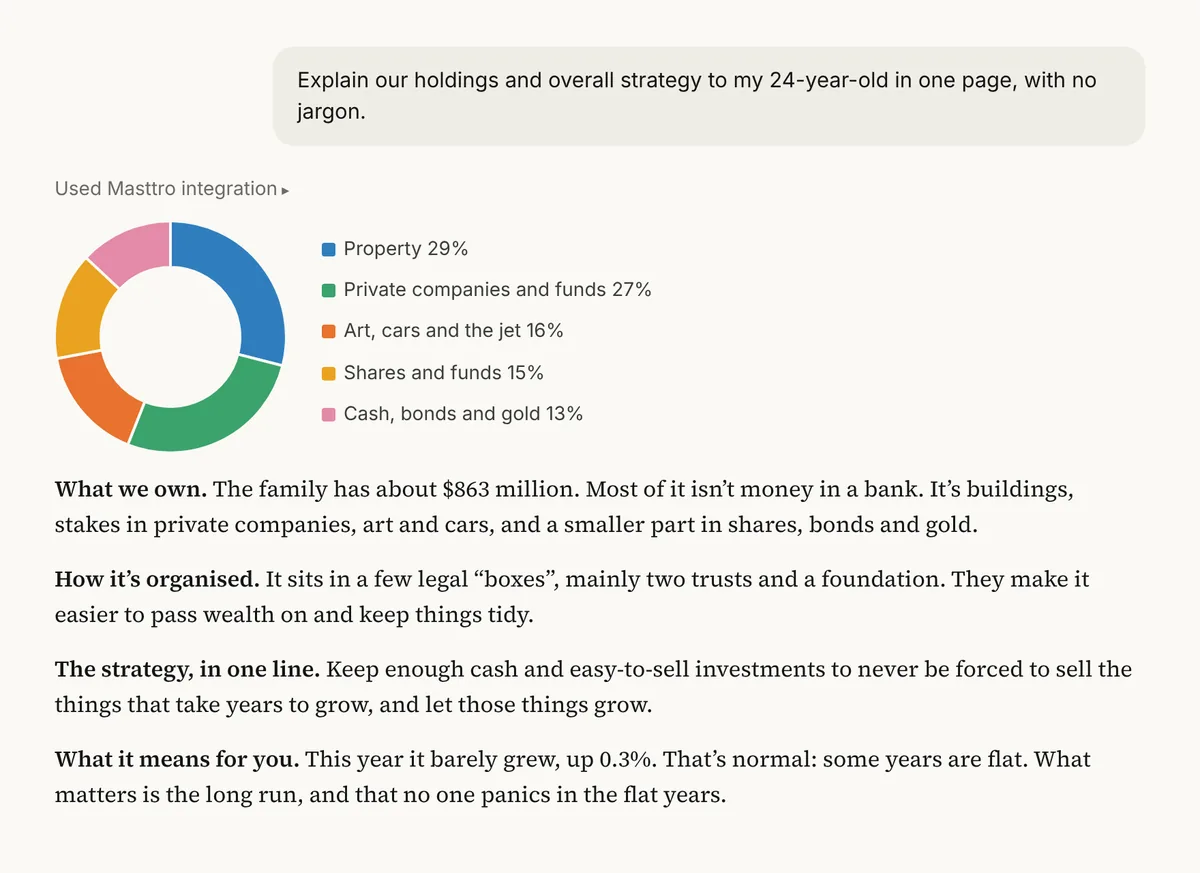
Live Masttro MCP data from a demo family office: Claude builds the holdings dashboard, then filters it to one entity and to GBP.
Month-end holdings shown by asset class, entity and currency.
Narrow by investment vehicle, asset class or currency.
Follow-ups add custodian filters or change since a date.
Replace [month-end] with the date for the dashboard.
Why build a holdings dashboard with AI?
Static holdings reports answer one cut of the data. Families often want to flip between entity, asset class and currency views in a single conversation.
This prompt has the AI build a filterable dashboard from month-end holdings in Masttro, which the team can extend in follow-ups.
Entity, asset class and currency together.
Explore without new reports.
Add pie charts, custodian filters or changes since a date.
Questions about this prompt
What data does it use?
Holdings at month-end by asset class, investment vehicle and currency in Masttro.
Can I add a custodian filter?
Yes. A follow-up adds one.
Can I see changes since a date?
Yes. The last follow-up shows the change since a date you name.
Which AI tools can build it?
Claude can build interactive dashboards in the conversation. Results vary by tool.