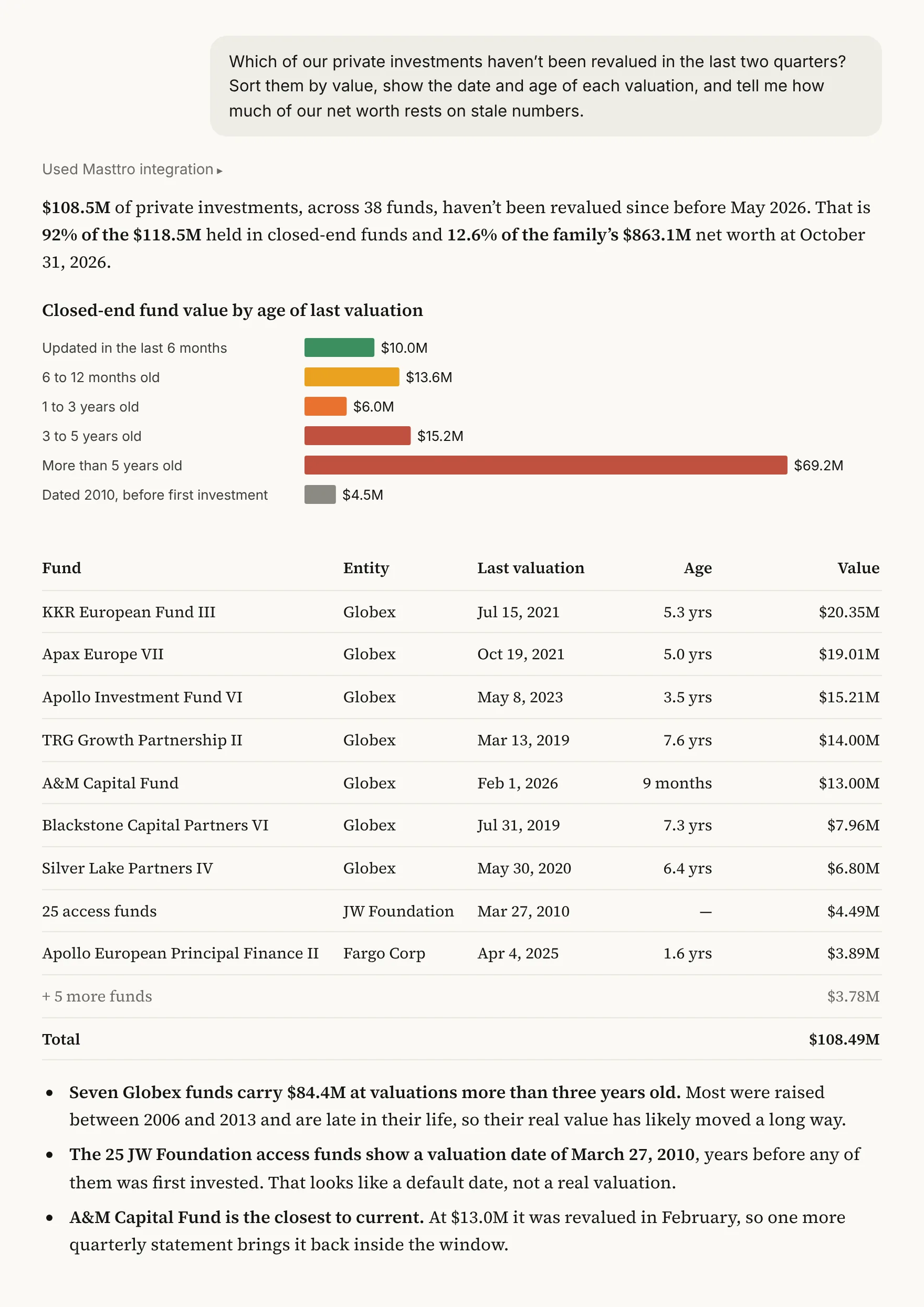
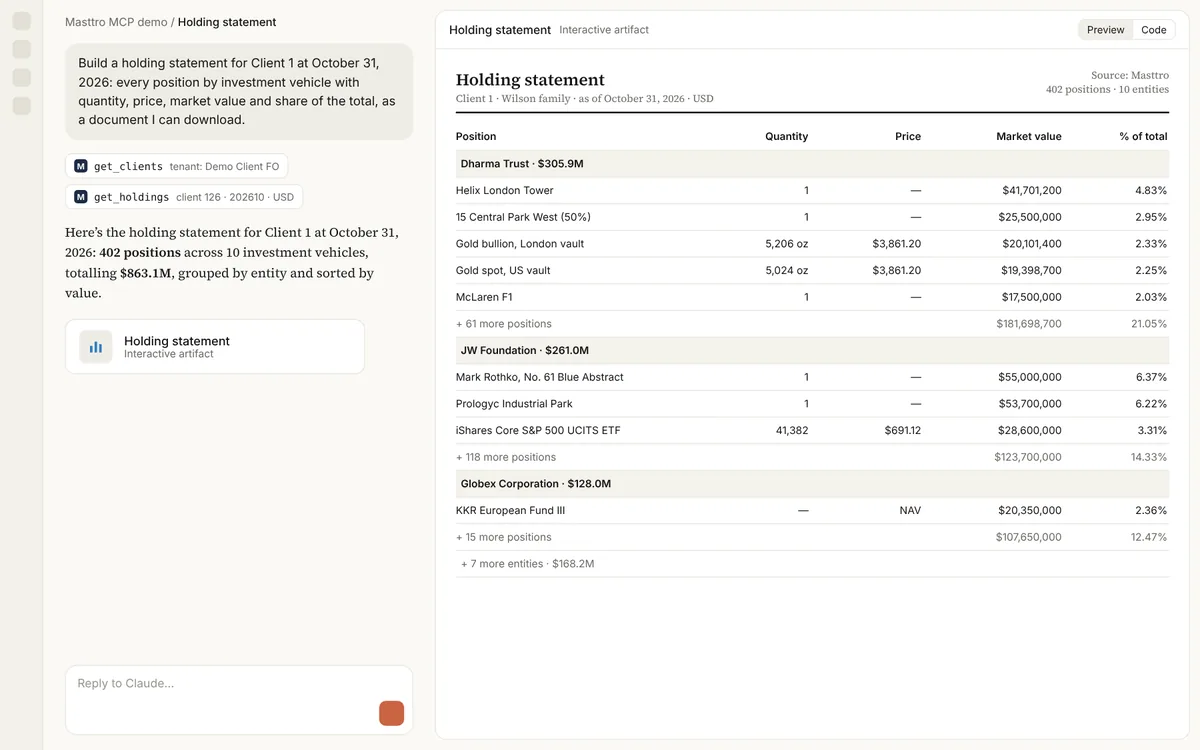
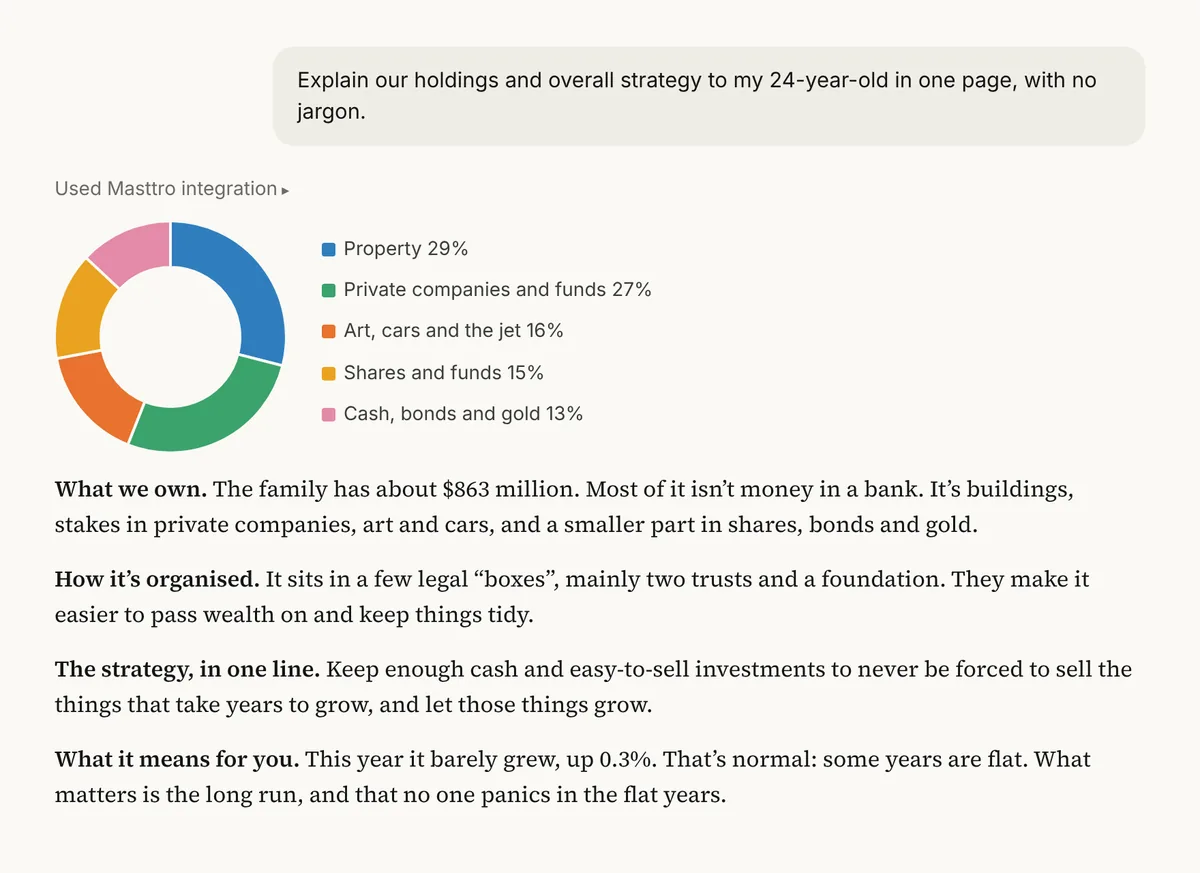
Distributions and contributions this year
Money in and out for the year, by entity and type.
Summarize all distributions and contributions across the family [this year], by entity and by type.
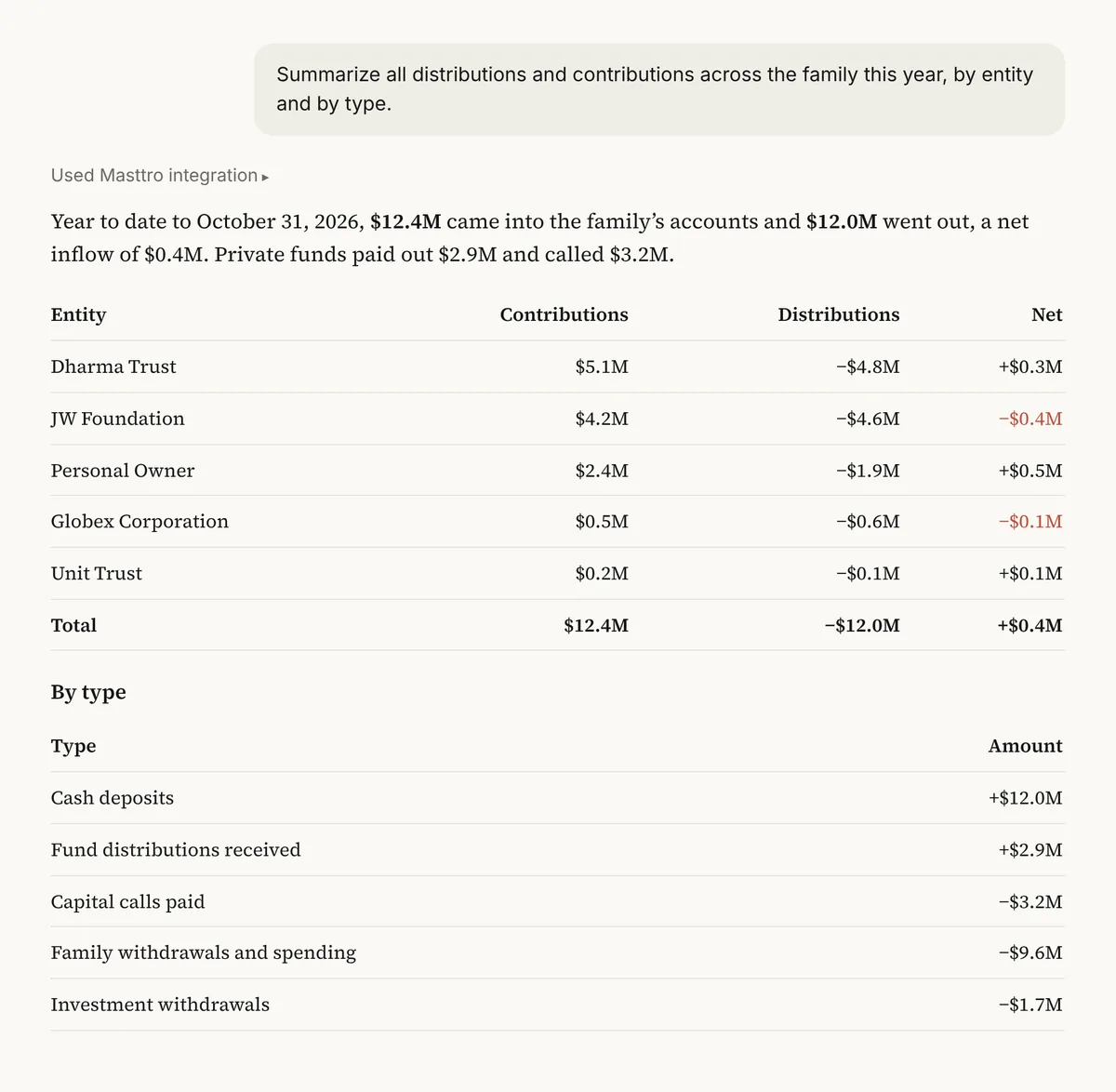
Illustrative output based on Masttro's demo family office data.
Every contribution and distribution for the period.
Grouped by the investment vehicle that sent or received it.
Deposits, withdrawals, transfers, capital calls and fund distributions kept apart.
Replace [this year] with the period you want to summarize.
Why summarize contributions and distributions together?
Principals often ask where the money went this year. The honest answer mixes family withdrawals, transfers between entities, capital calls and fund distributions, and each means something different.
This prompt sorts every flow by entity and type, so the family sees how much was spent, how much was invested and how much came back.
Investment flows are kept apart from family withdrawals.
See which vehicles funded and received what.
A follow-up shows the same flows over time.
Questions about this prompt
Which flows are included?
Deposits, withdrawals, transfers, capital calls and fund distributions recorded in Masttro.
Can I separate family spending?
Yes. The last follow-up separates family withdrawals from investment flows.
Can I see it month by month?
Yes. The first follow-up breaks the summary down by month.
Does it show which entity funded capital calls?
Yes. A follow-up names the entity that funded the most calls.